UPI 123PAY: How to Make UPI Payments Without Internet
Imagine you need to send money urgently, but your phone has no internet connection. Does that mean you have to visit a bank or ATM?
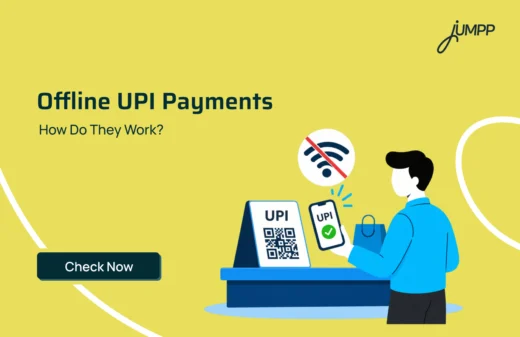
Not necessarily. UPI 123PAY solves this problem by enabling secure, instant bank transfers without mobile internet.
UPI 123PAY was launched by the Reserve Bank of India (RBI) on 8 March 2022, in collaboration with the National Payments Corporation of India (NPCI).
Let’s understand what UPI 123PAY is, how it works and how you can use it for everyday payments.
What Is UPI 123PAY?
UPI 123PAY is an instant, offline payment protocol that lets feature-phone users initiate peer-to-peer and merchant digital transactions without mobile internet.
How Does UPI 123PAY Work?
UPI 123PAY connects your registered mobile number and bank account through supported payment channels.
Here’s how the process works:
- Register: Link your bank account through an available UPI 123PAY service.
- Choose a Method: Use an IVR call, missed call, supported feature-phone app or sound-based payment option.
- Enter Details: Provide the recipient’s information and payment amount.
- Authorise: Confirm the transaction using your UPI PIN.
- Receive Confirmation: Check the payment status through the selected service.
Unlike regular smartphone apps, these methods do not require an active internet connection on your phone.
Payment unsuccessful but money deducted? Find out what to do if your UPI transaction fails but the amount is debited.
What Are the Features and Benefits of UPI 123PAY?
UPI 123PAY offers several features designed for users of basic mobile phones.
- No Internet Required: Make eligible transactions using a mobile network without data access.
- Keypad Phone Support: Access UPI without owning a smartphone.
- Multiple Payment Methods: Choose from voice calls, missed calls, sound-based technology and supported apps.
- Regional Languages: Access voice-based instructions in supported Indian languages.
- Everyday Payments within Limits: Securely send money within the RBI-mandated per-transaction limit of ₹10,000, and handle everyday merchant utility payments.
- UPI PIN Security: Authorise transactions using your confidential PIN.
Wondering how all these online payment methods differ? Explore the difference between UPI and net banking to understand when to use each.
What Are the Four Methods of UPI 123PAY?
UPI 123PAY supports four payment methods without mobile internet: IVR, app-based functionality, missed calls and proximity sound-based payments.
1. Interactive Voice Response (IVR)
Dial 080 4516 3666, 080 4516 3581 or 6366 200 200. Select your language and choose an option such as money transfer, merchant payment, balance enquiry or bill payment. Enter the recipient’s mobile number or UPI ID, payment amount and UPI PIN to complete the transaction.
2. App-Based Payments (OEM Integration)
Supported feature phones from manufacturers such as Nokia, HMD, Lava and Itel may come with a pre-installed UPI 123PAY app, including PhonePe’s offering. These apps use secure SMS gateways over 2G networks instead of mobile internet.
Users can select contacts, send money, check balances and view transaction history. Camera-enabled devices may also support QR code payments.
3. Proximity Sound-Based Payments
This method uses sound waves to exchange payment information. At a merchant outlet, call the designated IVR number and hold your phone near the merchant’s sound-enabled terminal. The device emits an encrypted audio signal to link the transaction.
Enter your UPI PIN to authorise the payment.
4. Missed Call-Based Payments
Give a missed call to the number displayed at a participating merchant’s counter. The system registers the payment request and initiates an automated callback. Verify the merchant’s name and payment amount, then enter your UPI PIN to complete the transaction.
How to Set Up UPI 123PAY?
UPI 123PAY requires a one-time setup.
Unlike regular smartphone apps, you do not download an app from an internet store to get started. You can register your account directly through the offline payment channels using your bank-registered mobile phone number.
- Initiate Setup: Dial an official IVR payment number (such as 080 4516 3666 or 6366 200 200) or open a pre-installed app on supported HMD/Nokia devices.
- Link Your Account: Select your bank from the voice prompt or on-screen selection panel.
- Complete Aadhaar Authentication: Verify your identity securely using your Aadhaar number via Aadhaar OTP or Face Authentication.
- Generate UPI PIN: Set a secure 4- or 6-digit UPI PIN.
Important: Never share your UPI PIN or OTP with another person, including someone claiming to provide payment support.
What Is the UPI 123PAY Transaction Limit?
The UPI 123PAY transaction limit is ₹10,000 per transaction, increased from the earlier ₹5,000 ceiling.
| Limit Type | What to Know |
| Per-Transaction Cap | ₹10,000 |
| Daily Transaction Limit | Subject to individual bank caps |
| Service Costs | Free (₹0) |
Your bank may apply additional transaction restrictions. Check the latest limits before making a payment.
UPI 123PAY vs Regular UPI: What Is the Difference?
Both services support bank-account payments, but they differ in how users access them.
| Feature | UPI 123PAY | Regular App-Based UPI |
| Phone requirement | Supports feature phones | Typically uses smartphones |
| Internet connection | Not required on the user’s phone | Usually required |
| Payment methods | IVR, missed calls, sound-based and supported apps | UPI apps, QR codes and other app features |
| Transaction limit | Up to ₹10,000 per transaction | Generally up to ₹1 lakh for standard UPI, subject to bank and category limits |
| Authentication | UPI PIN | UPI PIN or other supported authentication methods |
| Suitable for | Keypad-phone and low-connectivity users | Smartphone users |
Conclusion
A keypad phone doesn’t have to limit your access to digital payments. With UPI 123PAY, you can send money and use supported banking services without mobile internet.
Choose an authorised service, verify the recipient’s details and keep your UPI PIN private.
Want to manage your everyday bills and payments from your smartphone? Explore the jUMPP UPI app and its digital payment features.
Download Now.
FAQs
Yes, you can make offline UPI payments using UPI 123PAY without mobile internet. It supports IVR calls, missed calls, app-based functionality and sound-based payments. However, mobile network connectivity (2G/3G/4G signal) to send SMS verifications or place IVR calls.
UPI 123PAY was launched by the Reserve Bank of India on 8 March 2022, in collaboration with the National Payments Corporation of India, to make digital payments accessible to feature-phone users.
Yes. UPI 123PAY supports keypad mobile phones through IVR calls, missed calls and other compatible methods. You need a registered mobile number and an eligible bank account.
Yes, UPI 123PAY allows users to pay utility and service bills without a smartphone or internet connection. Through supported IVR services, users can select a biller, retrieve the bill amount and authorise payment using their UPI PIN.
UPI 123PAY transactions are free for customers, with no separate UPI service fee. However, standard call or SMS charges may apply depending on the mobile network operator and tariff plan.